Missed chores carry over as one row
A chore you miss moves to today as a single red row, with the days it is late shown on the card. One row per chore, however many times it slipped.
 Choru is an iPhone appPoint your iPhone camera at the code to install it.
or text me the link
What happens to a chore you miss
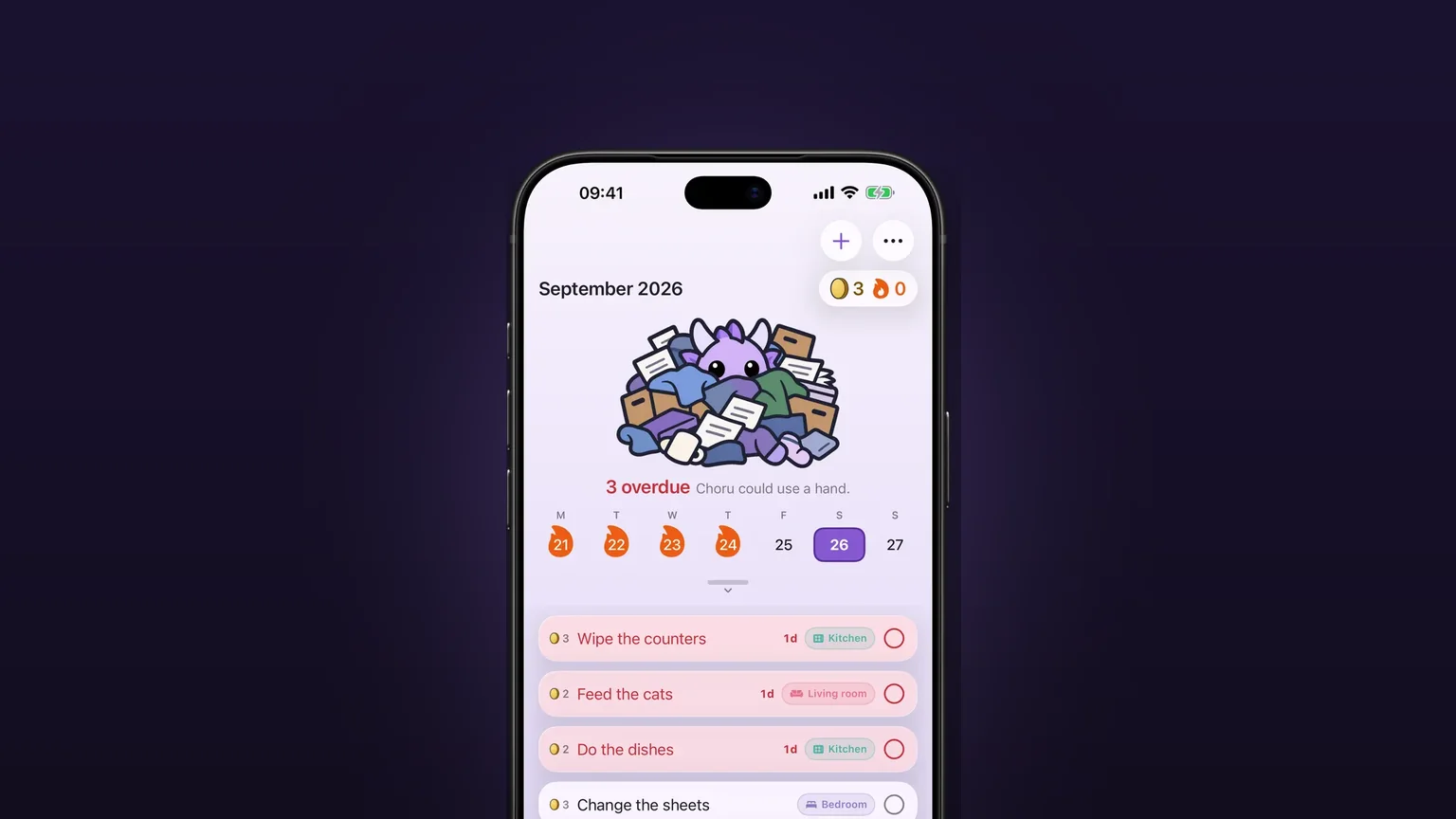
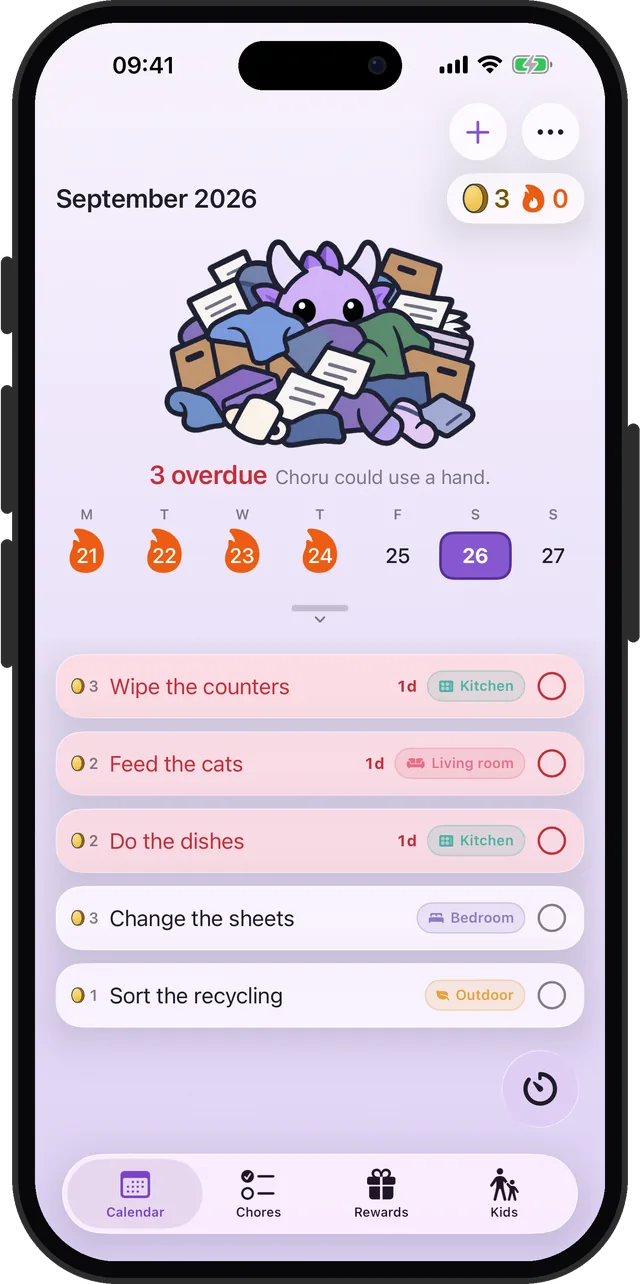
When a chore goes undone, Choru moves it to today as one red row. The row says how late it is, such as 3d on the calendar or 3 days late on the Chores tab. A weekly chore skipped twice is still one row, not two.
The Clock app is a good tool for a time of day: an alarm goes off, and you dismiss it. An alarm has no memory of the job behind it. A chore is different, because it stays due until somebody does it. Choru keeps the job in view every day and counts the days it has stood open, which a ringing alarm cannot do.
How it works, step by step
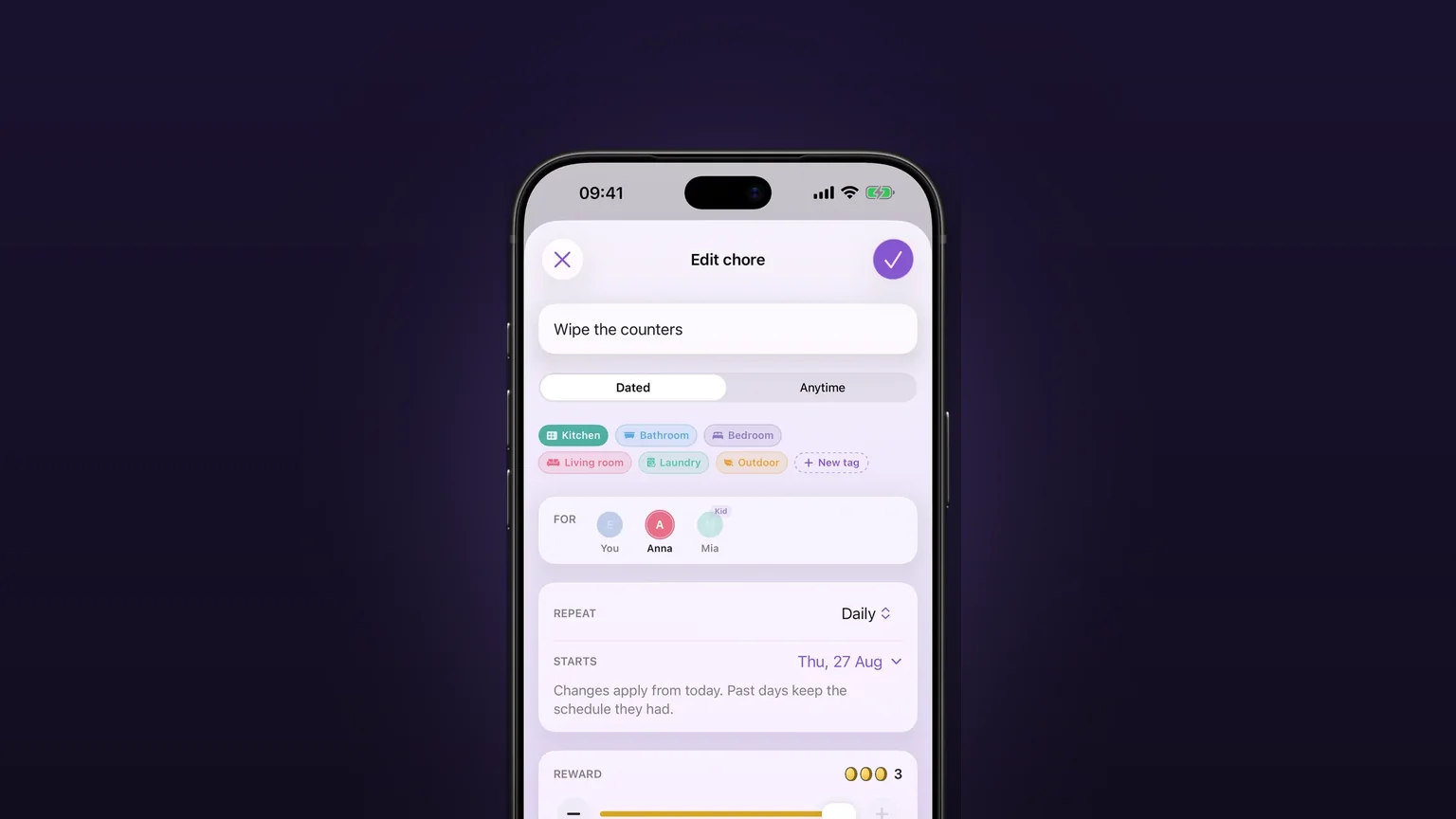
- Set a chore to repeat in the chore editor. Details are in repeats that fit real chores.
- Miss a day. The chore then appears at the top of the Calendar tab on today, in red, with its late count in the corner of the card.
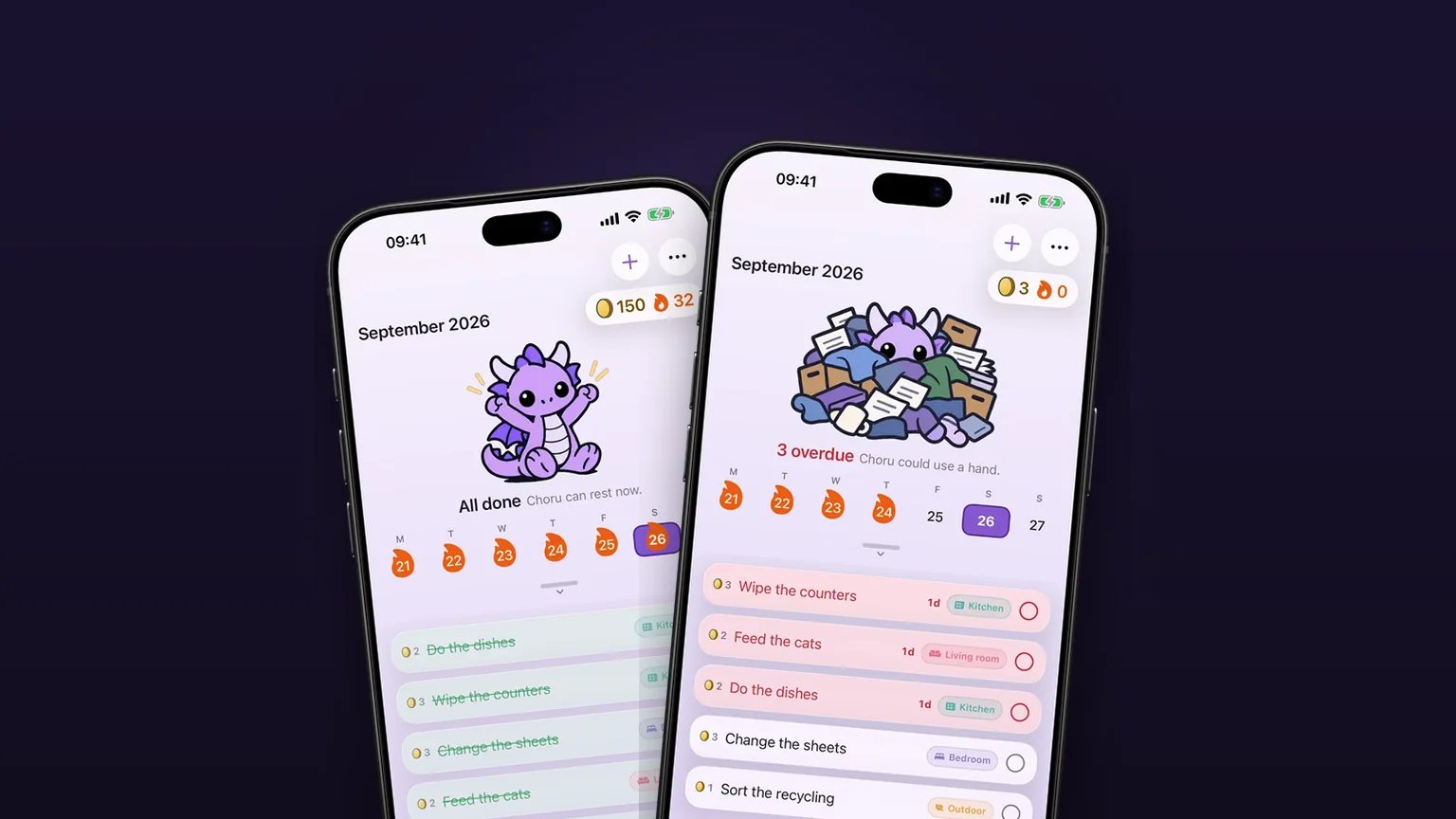
- Look at the header. Choru the dragon shows a status line such as "3 overdue" and, during the day, sits under a pile of mess.
- Tick the circle on the red row when you do the chore. The row turns green and strikes through, and tomorrow it is gone.
- If you did it yesterday and forgot to tick, press and hold the circle and choose Done yesterday. That marks yesterday as done.
Choru counts the days you skipped, not the span back to the first miss. If a chore was missed Tuesday, rested on Wednesday and missed Thursday, it reads 2 days late. A rest day or an away day is never counted.
An overdue chore also becomes a daily one until you do it. A weekly vacuum missed on Tuesday is due again on Wednesday and Thursday, and each of those days counts as missed. Once you do it, it goes back to its normal schedule.
Options and variations
| Where | What you see | What you can do |
|---|---|---|
| Today, Calendar tab | One red row per overdue chore, above the rest | Tick it, hold the circle for Done yesterday, tap the row to edit |
| A past day | The pile as it stood on that day | Look back; the late count there is smaller |
| A future day | Only what is scheduled | Nothing is carried onto next week |
| Chores tab | The same chore labelled "3 days late" | Same circle, same menu |
| Daily digest | A title like "2 today, 3 overdue" | Read it in the notification |
| Widget | Overdue chores marked as overdue | Read at a glance from the home screen |
| Swipe a red row left | Delete | Stops the chore from today and keeps its history |
The count has a ceiling. A chore missed on 365 days or more reads "> 1 year late", or 1y+ on the short card, because the exact number stops being useful.
One more tool for a heavy day is in the chore calendar: the Tomorrow swipe moves a due chore one day, once, until you do it. That swipe is on ordinary rows, not on the red ones.
When it is the right tool
After a busy week
You come back to the app on Sunday and see what slipped, without scrolling a month of days. Each missed chore is one row, so the list stays short enough to start on.
A weekly chore that kept sliding
The bins or the sheets get skipped twice. Choru shows one row with the days it has stood open, and one tick clears it. You are not asked to tick every missed week.
Forgot to tick last night
You did the dishes yesterday and never opened the app. Hold the circle, choose Done yesterday, and yesterday is settled as done.
Splitting the house with a partner
In a shared household you can see what is behind. The setup is in how to split chores with a partner.
Coming back from a trip
Days you were away are skipped, not counted as late. Chores do not pile up while the household is paused.
What it does not do
- Ticking a red row settles today only. The days you skipped stay missed. Choru does not wipe a backlog with one tap.
- Done yesterday on the red row reaches back one day only. The red row itself never sweeps up older days.
- A future day never shows carried rows, so you cannot see next week's debt in advance.
- A chore you delete stops owing anything from that day. Its old misses stay in the history.
- There is no free version. Ticking, including Done yesterday, needs the trial or the unlock.
- Choru is for iPhone and needs iOS 26.5 or later.
For the bigger picture of dividing a household's jobs, read how to manage household chores. Jobs with no due date belong in anytime tasks, on the Chores tab.
Frequently asked questions
How does an overdue chores app handle a chore I missed?
Choru moves it to today as one red row with its late count, for example 3 days late. It stays on top of the Calendar tab until you tick it.
Do missed chores carry over if I skip several times?
Yes, as a single row. A weekly chore missed twice is one row, and the count reads the number of days it was due and not done. Rest and away days are not counted.
What happens when I tick an overdue chore in the chore app?
The row turns green and settles today, and it is gone from tomorrow. The days you skipped stay recorded as missed. If you did it yesterday, hold the circle and choose Done yesterday.
How far back does Done yesterday reach?
One day. The red row's menu offers yesterday only, and a tick on the row itself settles today.
Does the overdue chore count show anywhere besides the calendar?
Yes. The status line above the calendar shows the count, the daily digest title can say how many are overdue, and the widget marks overdue chores.
Sources
Catch up on what slipped
Get Choru on the App StoreMore features

Anytime tasks that come back later
Jobs with no fixed date come back 1, 3, 6 or 12 months after you tick them off.
A chore calendar that shows what is due
A week calendar with the day's chores under it, and a month you can pull down to.
Repeats that fit real chores
Daily, on set weekdays, weekly, monthly, quarterly, or every few days, weeks, months or years, with past days left alone when you change a schedule.