How to Split Chores Fairly With Your Partner
Most chore arguments are not really about the dishes. They are about the jobs one person quietly does and the other never sees. Here is a split that holds up past the first month.
Quick answer: Write down every chore, including the ones that only come round every few months. Split them by how long they take and who minds them least, not one for one. Then keep the list where you both see it, so nobody has to be the one who remembers. A shared chore app like Choru does the remembering: each chore comes back on both phones when it is due.
Start with the whole list, not the obvious one
Ask two people to list the household chores and you often get two different lists. Dishes, laundry and the trash make both. The oven, the fridge shelves, the bathroom fan, the kettle that needs descaling and the dentist appointments usually make only one. Whoever wrote the longer list is usually the one feeling the load.
So write it all down together, in one sitting. If a job has ever made one of you sigh, it goes on the list.
Split by time and taste, not one for one
Fair does not mean every chore is cut in half. It means the total feels even. A few things help:
- Weigh by time. Ten minutes of taking out the trash is not an hour of ironing. Count how long each chore takes and how often it comes round.
- Trade on taste. One of you hates vacuuming, the other hates the dishes. Swap. The chore nobody minds is the cheapest one to do.
- Own it end to end. Whoever owns a chore also remembers it. "I'll do it if you remind me" is half a chore, and the other half is the annoying one.
- Keep a shared pile. Some jobs belong to whoever has a free moment. That works, as long as you can both see them.
Make it visible, so nobody keeps score in their head
A split often breaks not because someone refuses to help, but because the list lives in one person's head. They notice the oven is due, they ask, they remind. That noticing is work too, and it is the part that builds resentment.
Put the list somewhere you both see it, with dates. A whiteboard works until the every-three-months jobs fall off it. A shared chore app keeps those coming back on schedule, so neither of you has to be the one who remembers.
How to set it up in Choru
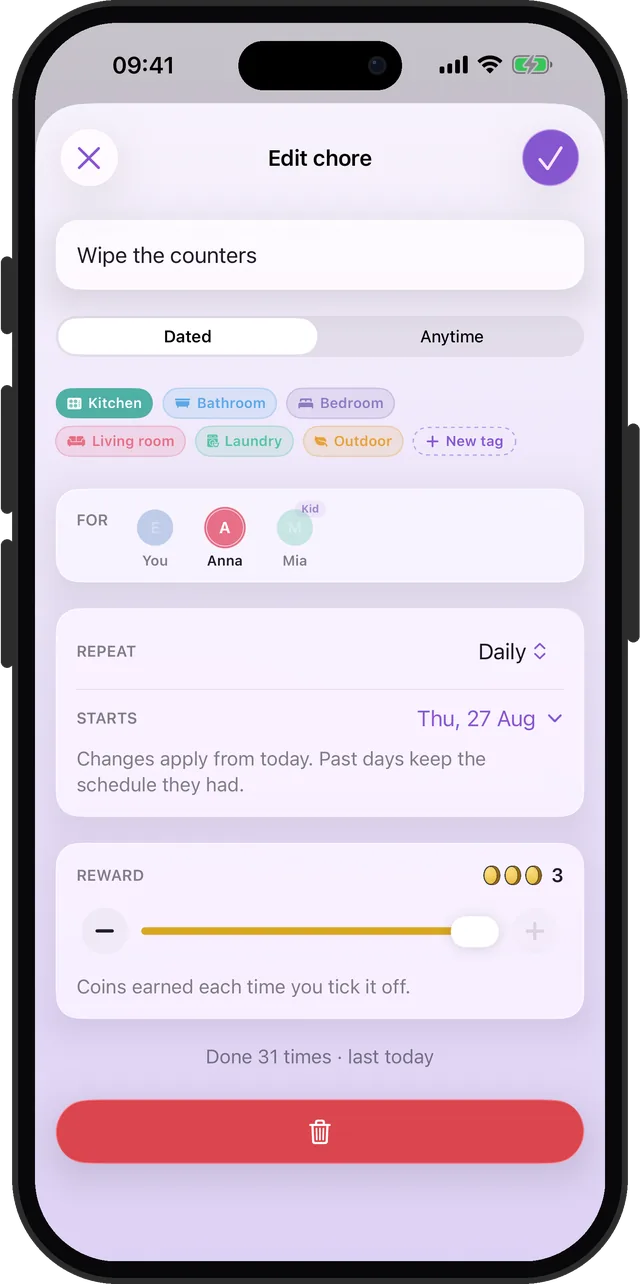
- Add each chore and pick how often it comes back: daily, on set weekdays, weekly, monthly, quarterly, or every few days, weeks or months.
- Open Settings, then Family, and start a family. Your partner scans the code with their iPhone, and you both see the same list.
- In each chore's For row, pick whose it is: yours, your partner's, or both.
- Tick chores off as you do them. When a chore is on both your lists, Choru asks "Did you have help?" after the tick, so the coins go to everyone who pitched in.
Check in on the numbers, not the feelings
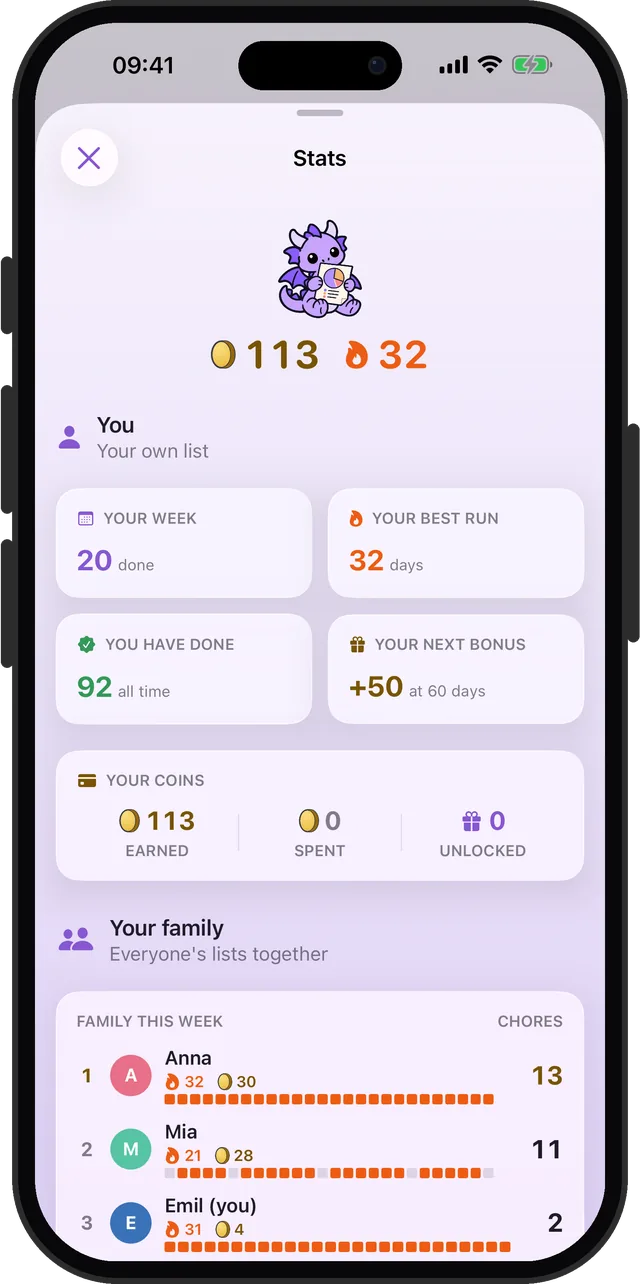
Once a week, look at what actually got done. Choru's Stats count each person's chores for the week, which can settle the "I do everything" debate, one way or the other. If one side keeps coming out heavy, move a chore across. No speeches needed.
Share the chores, not the reminding
One list on both phones. Each chore comes back when it is due.