Every chore comes back when it's due
The dishes are obvious. It's the oven, the fridge shelves and the bathroom fan that sneak up on you. Choru keeps track of the chores you do every day and the ones you do every few months, and shares the list with your family, each on their own iPhone.
A chore chart that does the remembering
Everything a chart on the fridge can't do, on your family's iPhones.
See what is due
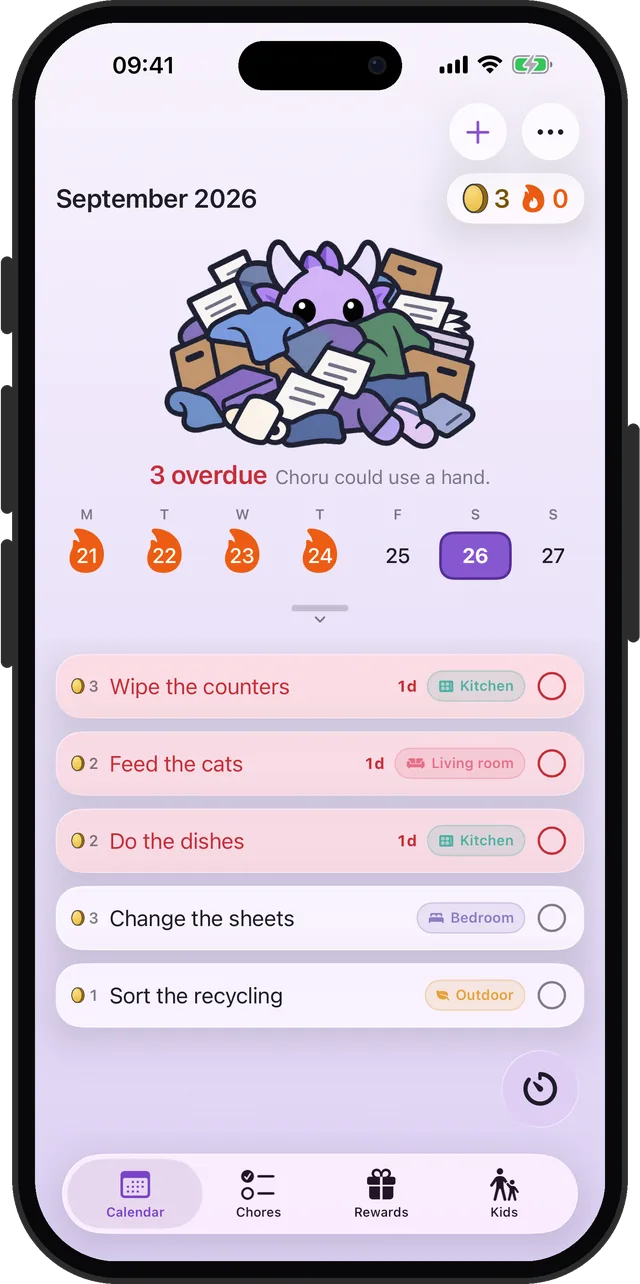
A week calendar with today's chores under it. Pull it down to see the whole month.
Repeats that fit real chores
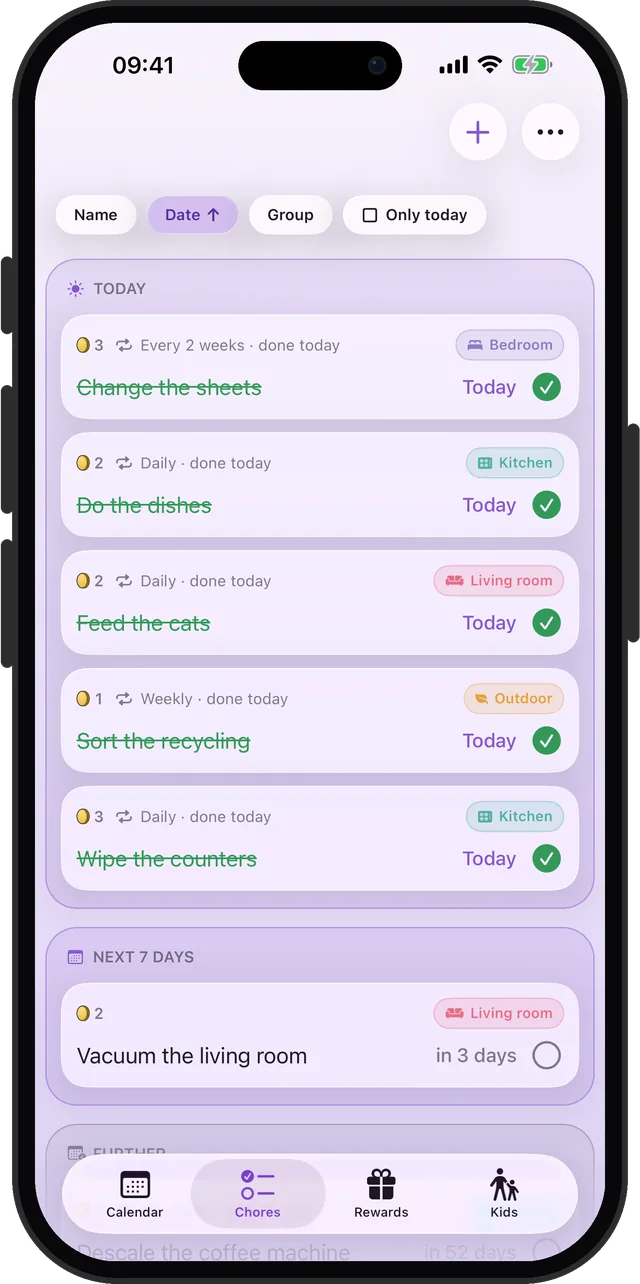
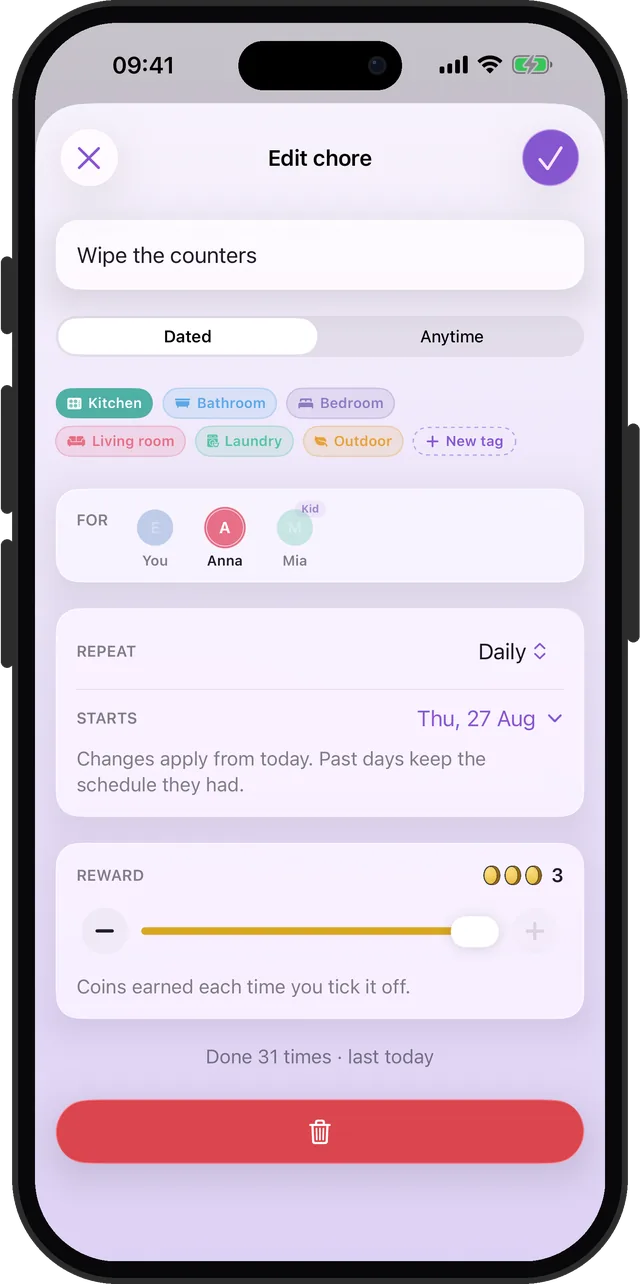
Daily, on set weekdays, weekly, monthly, quarterly, or every few days, weeks, months or years.
Missed ones carry over
A chore you missed moves to today as one row, showing how late it is. Not one copy for every day you missed.
Anytime tasks
For jobs with no fixed date. Tick one off and it comes back a month, three months, six months or a year later.
Share the household
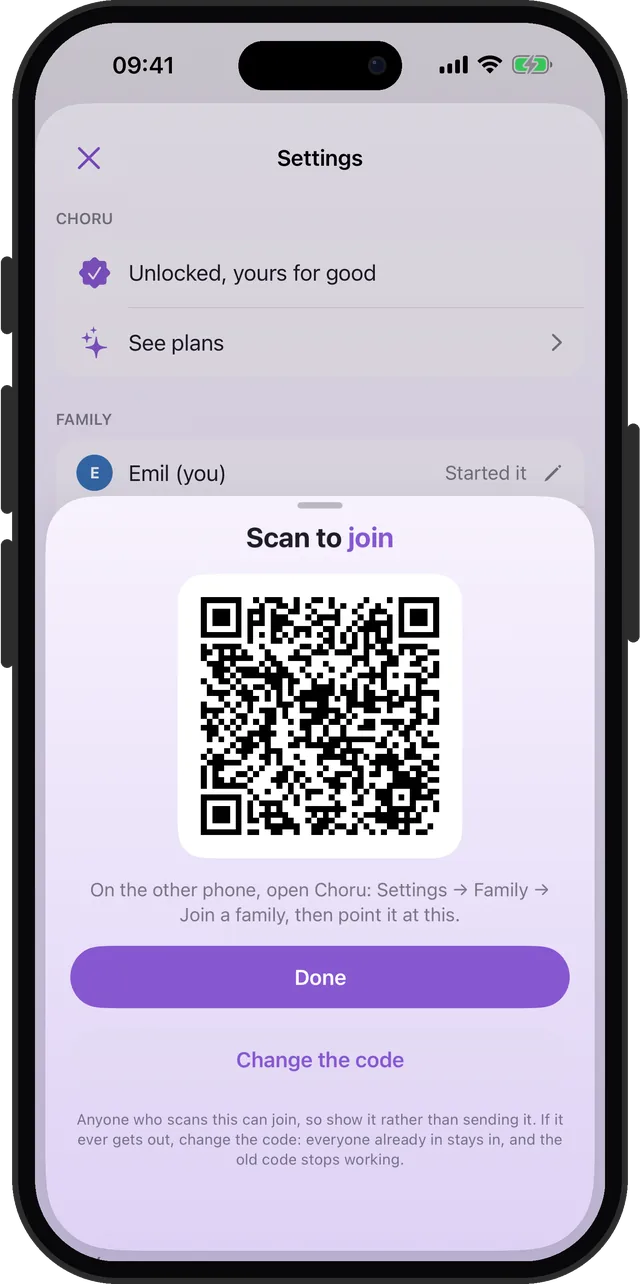
Invite the family with a QR code, up to five people. Everyone sees the shared chores on their own iPhone.
Coins and rewards you pick
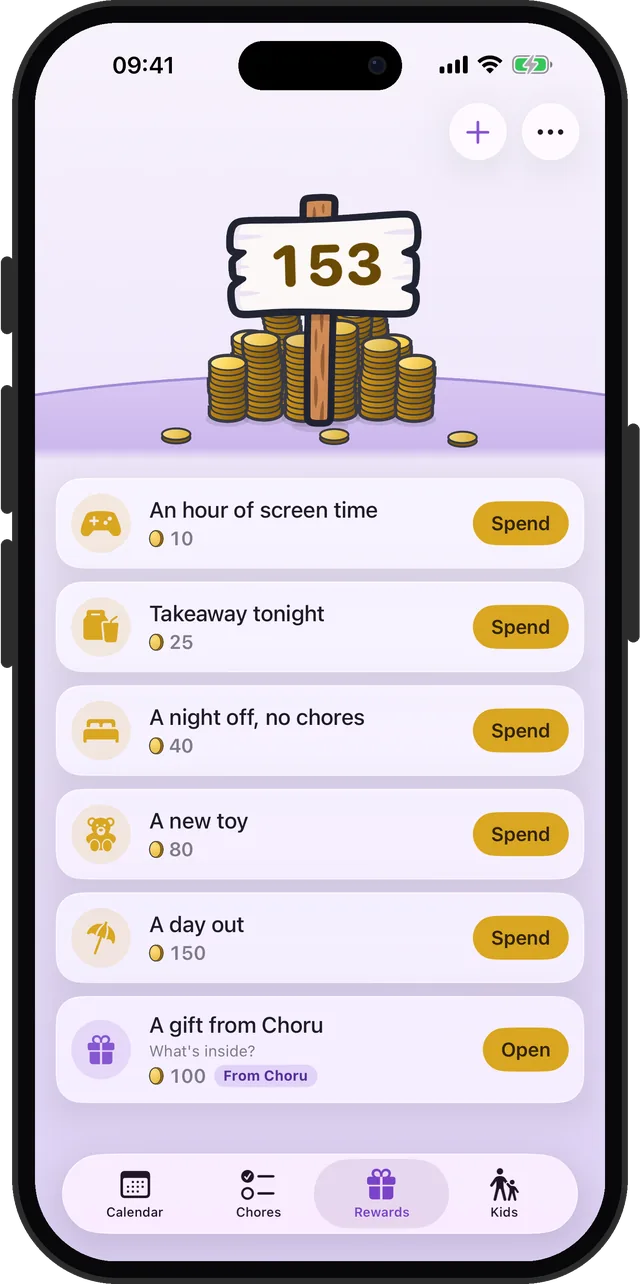
Every chore pays coins. Set your own rewards and their prices, then spend the coins on them.
A Kids tab
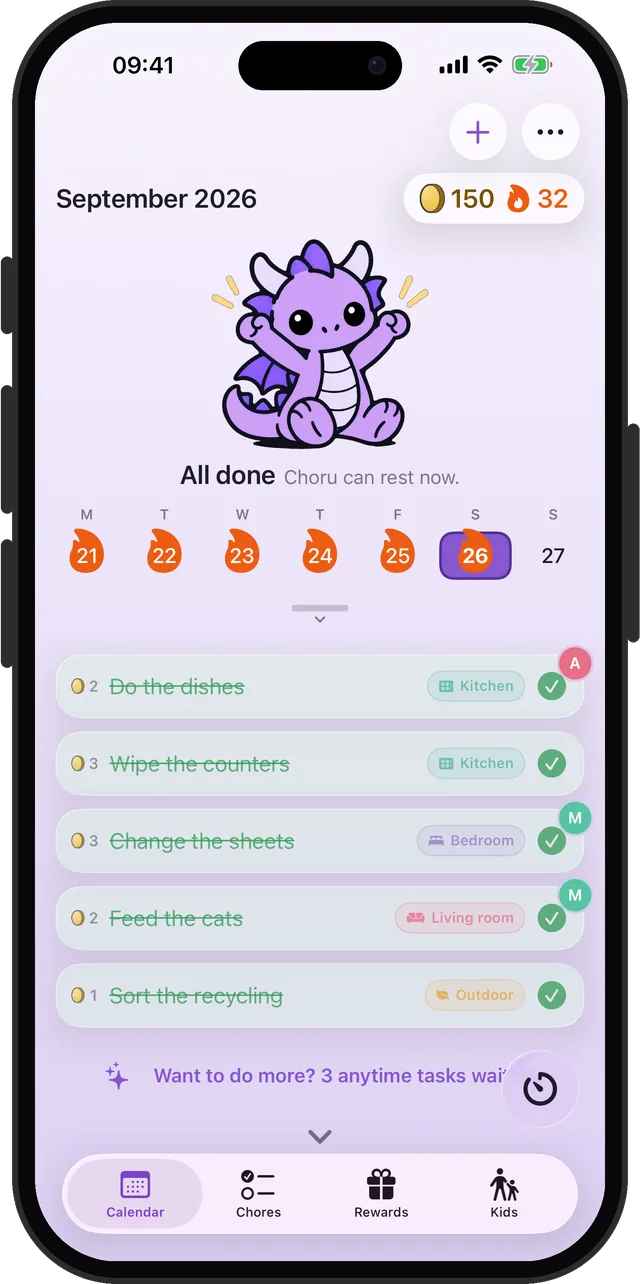
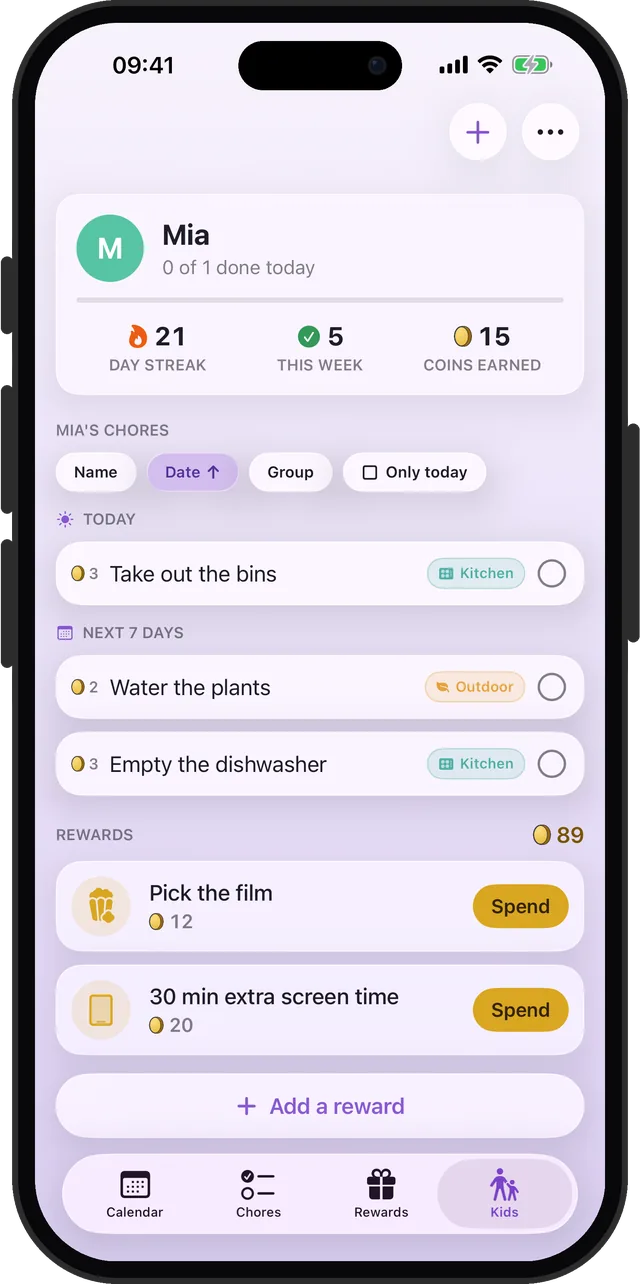
Each kid's chores, streak and coins in one place. Their ticks can wait for a grown-up's OK.
A streak with days off
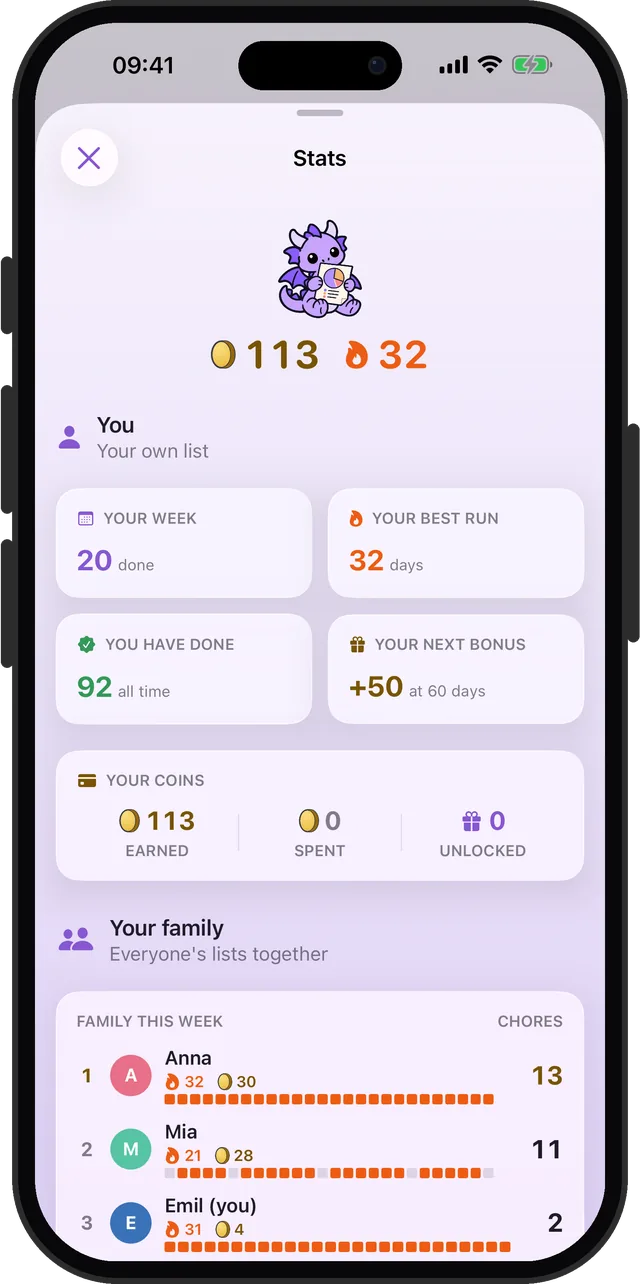
Clear today's list to grow the streak. Rest days and days away keep it safe, and milestones pay bonus coins.
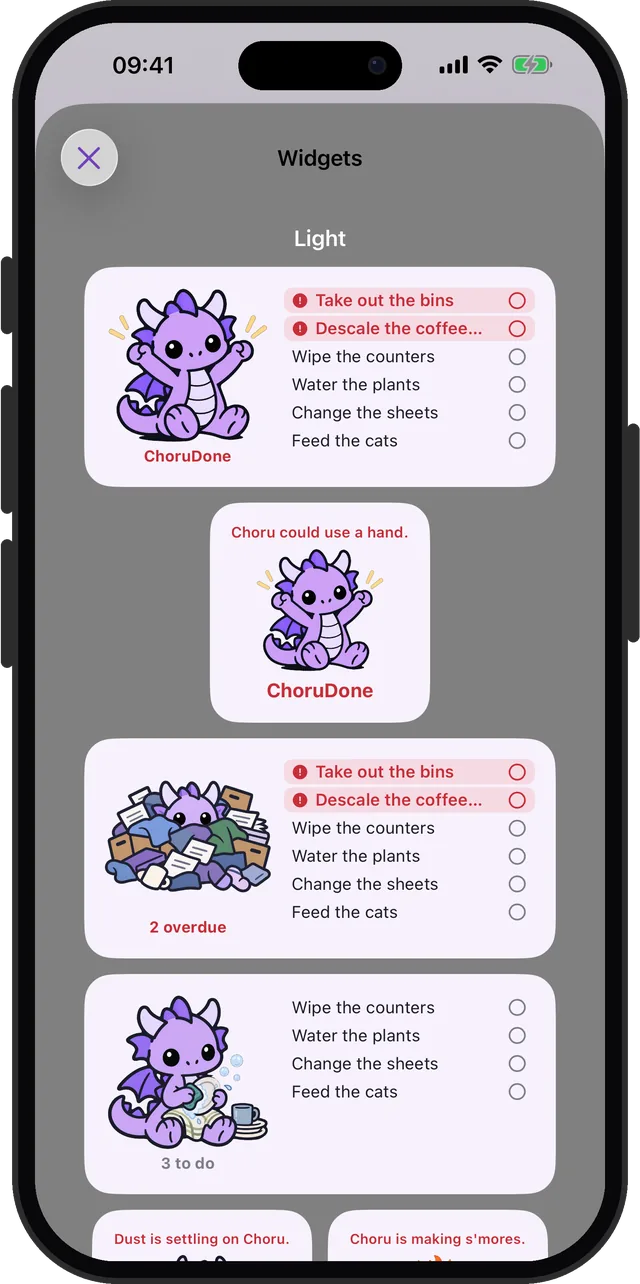
Also in the box: a tidy timer, a daily notification with what is due, Home Screen widgets, automatic iCloud backup, and Choru, a small purple dragon who shows how the day is going.
See it in action
Real screens, straight from the app.
How it works
From "when did we last clean the oven?" to a list that remembers, in three steps.
Add your chores
Name each chore, pick how often it comes back, and tag the room. Start with the every-few-months jobs: they are the ones that slip.
Bring in the family
Start a family in Settings and show the code. Everyone scans it with their own iPhone and sees the same list.
Tick, earn, repeat
Every tick pays coins, and clearing the day's list keeps the streak going. Each chore comes back by itself when it is due again.
Guides
Straight answers to the questions every shared household runs into.
How to Split Chores Fairly With Your Partner
List the chores nobody sees, split by time and taste, and stop keeping score.
Read the guideHow to Make a Chore Chart for Kids That Lasts
Real jobs, coins they can spend, and a quick check before it counts.
Read the guideHow to Keep a Deep Cleaning Schedule
The every-few-months jobs, a schedule to start from, and what to do when you miss one.
Read the guideCan You Use the iPhone Reminders App for Chores?
What the built-in app handles well, where it falls short, and when that matters.
Read the guideHow to Share a Chore List With Your Family on iPhone
A shared note, a shared Reminders list, or a family chore app, and what each is good for.
Read the guideFrequently asked questions
How do I share a chore list with my family?
Start a family in Choru's Settings, under Family. Choru shows a code, the other person scans it with their own iPhone, and everyone then sees the family's chores on their own phone. A family can have up to five people. Learn more
Can a chore belong to one person?
Yes. Each chore has a For row: pick one person, or several. When a chore is on more than one person's list, ticking it asks "Did you have help?", so the coins go to everyone who pitched in. Learn more
How do kids use Choru?
Each kid joins the family on their own iPhone, and their phone locks itself to their own chores and rewards. The Kids tab shows every kid's chores, streak and coins, and a kid's ticks can wait for a grown-up's OK before the coins count. Learn more
What are the coins for?
Every chore you tick pays coins. You add the rewards, like picking the film or a day out, set their prices, and spend the coins on them. Coins are a tally inside the app, not money. Learn more
What happens when a chore is missed?
It carries over to today as one row, showing how late it is, instead of piling up a copy for every day you missed. Learn more
How often can a chore repeat?
Daily, on set weekdays, weekly, monthly, quarterly, or a custom rhythm like every 3 days, every 2 weeks or every 6 months. Anytime tasks with no fixed date come back a month, three months, six months or a year after you tick them. Learn more
Does a day off break my streak?
Not if you plan it. Pick rest days, like Sundays, and nothing is due on them. Going away? Mark the days away and the streak carries across the trip.
Where are my chores stored?
On your iPhone and in your own iCloud. Choru has no account of its own, and no server of mine holds your chores. With iCloud Drive on, it also keeps an automatic backup copy there. Learn more
Does Choru have ads, or need an account?
No ads, and no account to make. Choru uses the Apple Account your iPhone is already signed in with.
Is there an Android version?
Not at the moment: Choru is made for iPhone. If someone in your house is on Android, tap Register your interest at the top of this page, so I know.
Let the list do the remembering
Add the chores once. Choru brings each one back when it is due.